Nikon D3000 For Dummies
Book information
Description
Professional photography advice for D3000 beginners The Nikon D3000 is Nikon's new entry-level camera. With the D3000, you get all the features of Nikon's older cameras along with an updated battery, larger monitor, and improved focus features. In addition, the D3000 also offers simpler menus to help first-time DSLR users. Assuming no prior dSLR knowledge, veteran author Julie Adair King offers you a tour of the camera body, a hands-on how-to on all the features of the D3000, and a step-by-step walkthrough of how to get the photos you want. Explains shooting in auto mode, reviews the new video option, and covers working with file size and qualityWalks you through shifting out of automatic mode and using the D3000's lighting, exposure, focus, and color featuresDemonstrates getting photos from your camera to your PC, developing an effective file system, and sharing photos via print, online, or other ways Packed with useful tips, this helpful guide encourages you to take control of your camera. Nikon® D300 For Dummies® About the Author Author’s Acknowledgments Contents at a Glance Table of Contents Introduction Part I: Fast Track to Super Snaps Chapter 1: Getting the Lay of the Land Getting Comfortable with Your Lens Adjusting the Viewfinder Focus Working with Memory Cards Exploring External Camera Controls Ordering from Camera Menus Monitoring Shooting Settings Using the Quick Settings Screen Displaying Help Screens Customizing Your Camera Restoring Default Settings Chapter 2: Taking Great Pictures, Automatically Getting Good Point-and-Shoot Results Using Flash in Automatic Exposure Modes Exploring Your Automatic Exposure Options Changing the (Shutter Button) Release Mode Chapter 3: Controlling Picture Quality and Size Diagnosing Quality Problems Considering Resolution (Image Size) Understanding the Image Quality Options Setting Image Size and Quality Chapter 4: Reviewing Your Photos Setting Playback Timing Preferences Enabling Automatic Picture Rotation Viewing Images in Playback Mode Viewing Picture Data Deleting Photos Protecting Photos Part II: Taking Creative Control Chapter 5: Getting Creative with Exposure and Lighting Introducing the Exposure Trio: Aperture, Shutter Speed, and ISO Exploring the Advanced Exposure Modes Reading (And Adjusting) the Meter Setting ISO, Aperture, and Shutter Speed Choosing an Exposure Metering Mode Applying Exposure Compensation Using Autoexposure Lock Expanding Tonal Range with Active D-Lighting Using Flash in P, S, A, and M Modes Chapter 6: Manipulating Focus and Color Reviewing Focus Basics Taking Advantage of Manual-Focusing Aids Adjusting Autofocus Performance Manipulating Depth of Field Controlling Color Choosing a Color Space: sRGB vs. Adobe RGB Taking a Quick Look at Picture Controls Chapter 7: Putting It All Together Recapping Basic Picture Settings Setting Up for Specific Scenes Coping with Special Situations Part III: Working with Picture Files Chapter 8: Downloading, Organizing, and Archiving Your Picture Files Sending Pictures to the Computer Downloading and Organizing Photos with the Nikon Software Processing RAW (NEF) Files Chapter 9: Printing and Sharing Your Pictures Printing Possibilities: Retail or Do-It-Yourself? Preventing Potential Printing Problems Preparing Pictures for E-Mail Creating a Digital Slide Show Viewing Your Photos on a Television Part IV: The Part of Tens Chapter 10: Ten Fun and Practical Retouch Menu Features Applying the Retouch Menu Filters Removing Red-Eye Shadow Recovery with D-Lighting Boosting Shadows, Contrast, and Saturation Together Two Ways to Tweak Color Creating Monochrome Photos Softening Focus for a Dreamy Effect Creating a Color Outline Cropping Your Photo Comparing Your Original and Retouched Photos Chapter 11: Ten Special-Purpose Features to Explore on a Rainy Day Annotate Your Images Creating Custom Image Folders Changing the Function Button’s Function Customizing the AE-L/AF-L Button Using the Shutter Button to Lock Exposure and Focus Controlling Flash Output Manually Adding a Starburst Effect Combining Two Photos with Image Overlay Turning Still Photos into a Stop-Motion Movie Creating a Miniature Effect Index
Similar books
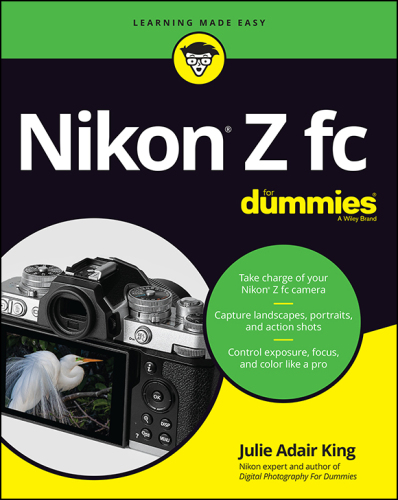
Nikon Z fc For Dummies
2022 · EPUB

Canon EOS 90D For Dummies
2020 · EPUB

Nikon Z fc For Dummies
2022 · EPUB

Canon EOS Digital Rebel XTi / 400D For Dummies
2008 · PDF

Canon EOS R50 For Dummies
2023 · EPUB

Fotografia digitale For Dummies
2014 · MOBI

Digital Photography For Dummies
2020 · PDF

Digital Photography For Dummies
2020 · PDF