Designed for Use: Create Usable Interfaces for Applications and the Web
Book information
Description
Cover Table of Contents Before We Start, a Word A short introduction to the topics in this book, and to the way it is organized. Technique Chapters Idea Chapters How the Book Is Organized Just One More Thing Part I—Research 1. User Research To design a product that suits your users, you need to know them. Some tools help you do that, others can mislead you. Learn the difference. 2. Features Are Not Requirements Users sometimes have specific ideas for how to solve their problems. Instead of taking these feature ideas at face value, find out what the actual requirement is behind the idea. Why You Need Requirements, Not Features Create a Product, Not a Collection of Solutions to Problems Getting to the Root of Things 3. Job Shadowing and Contextual Interviews Before you solve a problem, you first must understand it. To create applications that help people, you have to discover what kind of help they require. This chapter explains common techniques for doing that. Observing Your Audience Job Shadowing Contextual Interviews Remote Shadowing Limitations of Contextual Interviews 4. Personas Once you've done the research and know who your product's audience is, you need to turn this information into a design tool. Personas are that design tool; they help you take user research into account during the design process. Problems with Personas Creating Personas Working with Personas Personas Do Not Replace User Research 5. Activity-Centered Design Sometimes, it makes sense to focus on what people do, and what their goals are, more than on who they are. Learn when that is the case, and how to deal with such a situation. 6. Time to Start Working on Documentation Manuals often get short shrift, but thinking about how to document an application early can help bring clarity to its design. If it's hard to explain, it's probably hard to use. The Manual Blog Posts Screencasts Press Releases Talk About Tasks 7. Text Usability Even though we're all using graphical devices with high-res screens, text is still the most important user interface element. Getting the text right paves the way for a great user experience. If you get it wrong, no amount of graphic design will salvage your product. Why Words Matter People Don't Want to Read Say Less Make Text Scannable No Fluff Sentences Should Have One Obvious Interpretation Talk Like a Human, Not Like a Company Illustrate Your Points Use Words People Understand Test Your Text Display Legible Text 8. Hierarchies in User Interface Design User interfaces are built using nested hierarchies of UI elements. There are headers and footers and other areas in windows, buttons in bars, and lists of icons in views. To your users, visual hierarchies imply relationships between UI elements. Getting these hierarchies right can mean the difference between absolute confusion, and immediate understanding. Creating Hierarchical Structure Visually 9. Card Sorting Card sorting is a technique that helps you figure out how people think the “things” in your product fit together---in other words, it tells you how to organize your product in a way that makes sense to your users. Designing Hierarchies Preparing for a Card Sort Participants Running a Card Sort Running a Remote Card Sort Evaluating the Results 10. Creating Usable Hierarchies Organizing and labelling the things in your product---an area of design known as information architecture---is not easy. This chapter offers some guidelines to get you started. Allow Things to Exist in Multiple Places Shallow or Deep? Grouping Things 11. The Mental Model There's how people think how your application works, and there's how it really works. Bringing the two as close to each other as possible is the key to a product with great usability. What People Think Three Different Models Hiding Implementation Details Leaky Abstractions Designing for Mental Models Part II—Design 12. Keep an Open Mind Don't get attached to any design ideas too quickly. You can always find a better solution. Instead of committing to an idea early and focusing on refining that idea, keeping an open mind is often better. Don't be afraid of killing your darlings! Don't Pick Sides Don't Accept False Dichotomies Don't Commit Too Early Break Conventions Revisit Your Early Ideas You Can Always Do Better 13. Sketching and Prototyping Fleshing out your design on paper or in a dedicated application can help clarify design decisions early, before anyone has committed them to code. Flow diagrams, storyboards, sketches, wireframes, and mock-ups help you think through your application's design, plan how people will use it, and communicate and collaborate on designs with other people. Designing the Structure Flow Diagrams Storyboards Sketching Wireframes Mock-ups Tools 14. Paper Prototype Testing You don't need to wait until you have a running product to start doing usability tests. All you have are a bunch of sketches on some pieces of paper? Great! That's all you need! Guerilla Paper Prototype Testing Running Full Usability Tests with Paper Prototypes 15. Realism Realistic user interfaces can look amazing, but sometimes, the added detail can detract from the essence of your product, and make it harder to use. Symbols Virtual Versions of Real-World Objects Replicating Physical Constraints in Digital Products Going Flat 16. Natural User Interfaces Natural user interfaces ignore the traditional rules of GUIs in favor of an interaction design based on the real world. Done right, this can make the interface easier to learn and use. This chapter explains how to do it right. Avoid Gesture Magic Recognizing Gestures Accidental Input Conventions 17. Fitts's Law The bigger something is, the easier it is to click, or to touch. That makes sense. But did you know that things can be infinitely large? Screen Edges Have Infinite Size Radial Context Menus Decrease Average Distance Small Targets Need Margins Sometimes, Smaller Is Better 18. Animations Animations can help people understand how your application works, and vastly improve the user experience. This chapter explains when to use animations, and how to design them. Explaining State Changes Directing User Attention Avoid Unimportant Animations Help Users Form Suitable Mental Models Learning from Cartoons 19. Consistency Lack of consistency is probably one of the most common criticisms of user interfaces. But what is consistency, and are there situations where lack of consistency might actually be beneficial? Identifying Archetypes Behavioral Consistency In-App Consistency 20. Discoverability There's no difference between a feature people can't find, and one that doesn't exist. Creating features takes work and costs money; make sure people can actually find them! What to Make Discoverable When to Make Things Discoverable How to Make Things Discoverable 21. Don't Interrupt It's rude to interrupt---even more so when it's a computer doing the interrupting. For computers, it's not only rude, it's also completely unnecessary. Learn how to avoid interrupting your users. Make Decisions for Your User Front Load Decisions Interrupt Users Only For Truly Urgent Decisions 22. Instead of Interrupting, Offer Undo Allowing users to trust your application is one of the most important factors of a great user experience. This means allowing them to make mistakes---and to easily, quickly, and safely eradicate any mistakes they will inevitably make. Let Users Undo Their Actions Temporary Undo 23. Modes Did you ever pick up a pencil, and it suddenly acted like a can of paint? No? That's because the real world is mostly non-modal: a pencil is always a pencil. In the virtual world, though, things can have different modes---and that can be a problem. Nonobvious Modes Unexpected Modes Sticky Modes Modes Are Not Always Bad Quasimodes 24. Have Opinions Instead of Preferences When there are disagreements on how to solve a problem, it's often easiest to leave it up to your users. But your users are not designers. You are. Don't offload design decisions on them. Why Preferences Are Bad How to Avoid Preferences If You Can't Avoid Preferences 25. Hierarchies, Space, Time, and How We Think About the World Computers are great at storing data in hierarchical systems. Humans, on the other hand, tend to think about the world in terms of space and time. Most products force humans to organize data hierarchically, like computers, instead of making computers work the way humans think. You can make your product more approachable by making it behave less like a digital system, and more like a human one. User-Generated Hierarchies Space Time A Better Hierarchical System 26. Speed Your application's speed sounds like a technical detail, not a matter of design. But fast performance and a quick, responsive user experience have a huge positive impact on the user experience---though sometimes (rarely), they can also be detrimental. Responsiveness Progress Feedback Perceived Speed Slowing Down 27. Avoiding Features Satisfying user requests by adding features makes designers and developers feel good, but it's not always the right choice. A considerate approach to adding new features creates a better product in the long run. Remember the User's Goals The Five Whys Instead of Adding a New Feature, Make an Existing Feature More Usable Solve Several Problems with One Change Consider the Cost Make It Invisible Provide an API and a Plug-in Architecture Listen to Your Users But Don't Listen to Your Users Too Much Not All Users Need to Be Your Users 28. Removing Features Even the most considerate designers can make a mistake and add a feature that, in hindsight, turns out to be more burden than boon. But removing features can be painful. This chapter helps lessen that pain. Do the Research Inform Your Users Provide Alternatives It's Your Product 29. Learning from Video Games Video games are fun. Apps should be fun. There's a lot application design can learn from video game design---but sometimes, video games aren't quite as they appear, and it's easy to learn the wrong lessons. What's Fun? Why Your Product Is Not Like a Game What We Can Learn from Games Fun vs. Usability Part III—Implementation 30. Designing the Back End Designers don't need to know how to write code. They do, however, need to be involved in the design of the back end. If the back end is not designed to work consistently with the front end's user experience, it's never going to work right. The Back End Influences the Front End Back-End Design Is UX Design 31. Guerilla Usability Testing Running a full-scale usability test can be done quite cheaply, but it's still an investment. Can we get useful information while investing even less? Why yes, we can! How Often to Test Preparing for the Test How Do You Find Testers? How Many Testers Running the Test The Results 32. The First Run Experience When we design software, we think about the common use case. We put sample data into our wireframes, and filler text into our mock-ups. But what if the app is empty? What happens when the user opens it for the first time? Getting people up and running Teaching people how to user your app Solving what problem? 33. Usability Testing I've already mentioned usability testing in the chapter on paper prototyping. Now, we're testing the real deal, your running application. This chapter explains how. Usability Tests Don't Have to Be Expensive How Often to Test How Many Testers Who Should Test Your Product? How to Find Testers Different Types of Tests Preparing for the Test Running the Test 34. Testing in Person In-person usability testing is a well-understood technique for discovering usability problems in your product. This chapter explains how to run such a test. Running the Test 35. Remote Testing It can be impossible or difficult to invite people to a usability test. Don't fret, because you don't have to! It's possible to run usability tests remotely. Moderated Remote Testing Unmoderated Remote Testing 36. How Not to Test: Common Mistakes Usability testing is helpful even when done poorly. Nevertheless, the better you do it, the better your results. Learn how to avoid some common mistakes. Don't Use Words That Appear in the User Interface Don't Influence the Tester Avoid Stressful Situations 37. User Error Is Design Error It's easy to blame users when they are unable to use a product, but doing so won't help anyone. Every user error is a design error. This chapter explains how to create designs that are resilient to “user errors.” Don't Blame Your Users in Your Error Messages No Error, No Blame 38. A/B Testing By pitting different designs against each other, and measuring which one works better, A/B testing lets you improve your product using hard data. When to Do A/B Testing What's Success? Preparing for the Test Running the Test Interpreting the Results Keep in Mind 39. Collecting Usage Data When making design decisions, it's best to do so based on real-world data. What do people actually do with your product? The more you know, the better you design. Measure Speed Exit Points Measure Failure User Behavior 40. Dealing with User Feedback Not all feedback is equally valuable, and not every request needs to be satisfied. User feedback is valuable, though. This chapter explains how to make the most of it. Unexpected Uses Bad Feedback 41. You're Not Done Your product may have shipped, but a designer's work is never done. It's time to start rethinking your decisions, and preparing for the next release. A1. Acknowledgements Bibliography Index – DIGITS – – A – – B – – C – – D – – E – – F – – G – – H – – I – – J – – K – – L – – M – – N – – O – – P – – Q – – R – – S – – T – – U – – V – – W – – X – – Z –
Similar books

Designed for Use: Create Usable Interfaces for Applications and the Web
2011 · PDF

User interface design for humans
2011 · PDF
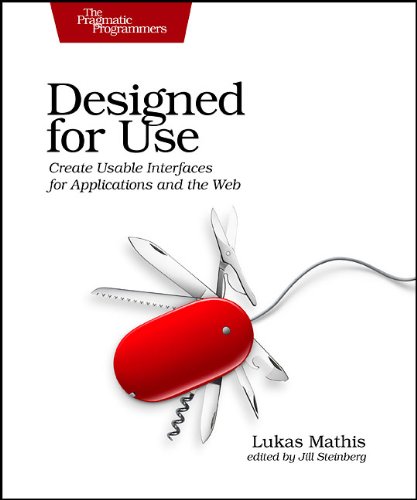
Designed for Use: Create Usable Interfaces for Applications and the Web
2011 · EPUB

Designed for Use: Create Usable Interfaces for Applications and the Web
2011 · PDF

MySQL® Notes for Professionals book
2018 · PDF

MrExcel 2022: Boosting Excel
2022 · PDF

MrExcel 2022: Boosting Excel
2022 · PDF

Session C11: Ancient Cultural Landscapes in South Europe – their Ecological Setting and Evolution, Session C22: Gardeners from South America, Session S04: Agro-Pastoralism and Early Metallurgy Sessions, Session WS29: The Idea of Enclosure in Recent Iberian Prehistory, Session C88: Rhytmes et causalites des dynamiques de l'anthropisation en Europe entre 6500 ET 500 BC: Hypotheses socio-culturelles et/ou climatiques: Proceedings of the XV UISPP World Congress (Lisbon 4-9 September 2006) / Actes du XV Congrès Mondial (Lisbonne 4-9 Septembre 2006) Vol.36
2010 · PDF