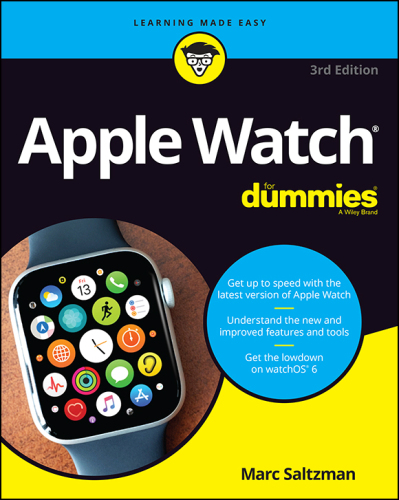
Apple Watch For Dummies
Book information
Description
Make your Apple Watch your new best friend! From accessing messages to getting quick directions, the latest smart watches do a whole lot more than just tell time. And the latest version of the Apple Watch is one of the most powerful iterations of these handy devices you can own. In Apple Watch For Dummies, you'll get step-by-step guidance on how to use all the best features of the Apple Watch. You'll learn how to make payments with a flick of your wrist using Apple Pay, keep track of your activity and sleep, monitor your heart health in real time, and even turn your watch into a digital walkie-talkie. This easy-to-read guide will also show you how to: Stay in touch by sending and receiving text messages and emails with your Apple Watch Track your fitness and sleep with Apple Watch, and have it monitor your health and even detect a sudden fall Learn how to stream Apple Music playlists and podcasts to wireless headphones Customize your watch face to look exactly the way you want it to look, from retro-chic to futuristic fun Apple Watch For Dummies is a must-read resource for Apple enthusiasts everywhere. Whether you're an Apple Watch newbie or you've been using one since they first came out and just need a refresher, this book has everything you need to get the most out of one of the coolest pieces of wearable tech on the market today. Title Page Copyright Page Table of Contents Introduction About This Book How to Use This Book Foolish Assumptions Icons Used in This Book Beyond This Book Where to Go from Here Part 1 Getting to Know Apple Watch Chapter 1 Watch This: Introducing Apple Watch Exploring the Apple Watch Collections Figuring Out What Apple Watch Can Do Watch faces Timers and alarms Caller ID or even calls Walkie-Talkie Health and wellness Emergency SOS Text messages and instant messages Email Wrist-to-wrist communication Dock Calendars Maps Siri Fitness Music connectivity and more Apple Pay Other apps Other functions Bonus tips Determining What You Need for Your Apple Watch Getting to Know Apple Watch’s Home Screen Learning about Apple Watch’s Parts Watch face Digital Crown button Side button Back sensors/charger Watch band Using Apple Watch’s Touchscreen Understanding Apple Watch’s Wireless Functions and Internal Sensors Bluetooth 5.0 Wi-Fi Cellular NFC GPS Ultra Wideband (Apple Watch Series 7 only) Accelerometer, gyroscope, barometric altimeter, and compass Heart-rate sensor Electrocardiogram Blood-oxygen monitor (pulse oximeter) Ambient light sensor Tapping with Apple Watch’s Haptic Feedback Chapter 2 Time Out: Setting Up Your Apple Watch Setting Up Apple Watch Pairing Apple Watch with the iPhone Choosing a passcode for Apple Watch Setting up cellular connectivity on Apple Watch Family Setup: Setting up Apple Watch for family members Enabling Schooltime on a family member’s Apple Watch Monitoring the Apple Watch battery Understanding the Home Screen Maintaining Your Apple Watch Avoiding water (original Apple Watch) Avoiding extreme temps Doubting its durability Considering a bumper Using Apple Watch responsibly Taking Advantage of Accessibility Features Chapter 3 Control Freak: Mastering Apple Watch’s Interface and Apps Handling Apple Watch’s Controls Tap Double-tap Press (Force Touch) Two-finger press (time or heartbeat) Swipe Sketch Type Digital Crown button Side/power button Going Hands-Free with Siri Vibrating Along with Apple Watch’s Tactile Feedback Using Control Center, Dock, and Notifications Control Center Dock Notifications Looking at Apple Watch’s Built-In Apps Phone Messages Mail Memoji Calendar Alarm Stopwatch Timer World Clock Siri Weather Stocks Activity Workout Maps Photos Camera Remote Music Remote Wallet and Apple Pay Mindfulness Sleep Walkie-Talkie Heart Rate ECG Blood Oxygen Find People Find Devices Podcasts Audiobooks App Store Noise Cycle Tracking Home Calculator Voice Memos Settings Compass Shortcut Apple News Contacts Part 2 Just the Tasks, Ma’am! Chapter 4 It’s About Time: Setting Watch Faces, Alarms, Timers, and More Looking At the Built-In Watch Faces Activity (analog and digital) Artist Astronomy Breathe California Chronograph and Chronograph Pro Color Contour Count Up Explorer Fire and Water GMT Gradient Infograph, Infograph Modular Kaleidoscope Liquid Metal Memoji Meridian Mickey Mouse, Minnie Mouse Modular/Modular Compact/Modular Duo Motion Numerals, Numerals Duo/Numerals Mono Photos Portraits Pride Analog, Pride Digital, Pride Woven Simple Siri Solar Dial and Solar Graph Stripes TimeLapse Toy Story Typograph Unity Utility Vapor World Time X-Large Choosing Among the Various Watch Faces Differentiating Between Customizations and Complications Customizations Complications Adding Complications Accessing Time on Apple Watch Accessing World Time Taking Control: Alarms, Stopwatches, and Timers, Oh My! Alarms Stopwatches Timers Shortcuts Chapter 5 Keep in Touch: Using Apple Watch for Calls, Texts, and More Accepting and Placing a Call on Apple Watch Incoming calls Outgoing calls Outgoing calls with FaceTime audio Handing Off a Call to Your iPhone or via Bluetooth Making Apple Watch Calls over Wi-Fi Receiving and Sending Messages Receiving and responding to messages Sending a message Creating custom replies Sharing your location from Apple Watch Sending Taps, Kisses, Heartbeats, and More Tap Heartbeat A few more Digital Touch options Enabling and Using the Walkie-Talkie Feature Adding and removing Walkie-Talkie friends Having a Walkie-Talkie conversation Sending, Receiving, and Managing Emails on Apple Watch Reading and acting on an email Replying to an email Composing an email Chapter 6 In the Know: Staying Informed with Apple Watch Accessing Real-Time Weather, UV Index, and Wind Speed Following Stock Information and Much More Using Dock on Apple Watch Launching Dock and more Customizing Dock Mastering Notifications on Apple Watch Seeing how notifications work Accessing the notification settings Viewing notifications Changing how you get notifications on your Apple Watch Accessing Your Calendar on Apple Watch Navigating the Calendar app Responding to a calendar/appointment request Accepting a calendar request through notifications Setting Reminders on Apple Watch Accessing Apple Watch’s Integrated Calculator Creating and Listening to Voice Memos Navigating the Maps App Drop, move, and remove map pins Getting Directions on Apple Maps Using the Compass Using the Find People App Adding a friend to the Find People app Finding out where your friends are Notifying a friend of your departure or arrival Getting a notification about a friend’s location Locating Your Stuff with the Find Items App Seeing the location of an item Marking an AirTag as lost Making an AirTag play a sound Getting directions to an item Receiving a notification when you’ve left an item behind Finding misplaced devices via the Find Devices app Part 3 It’s All in the Wrist Chapter 7 Siri Supersized: Gaining the Most from Your Personal Assistant Setting Up Siri on Your Apple Watch Selecting a language Ready to rock?: Connecting and talking to Siri on iPhone Talking to Siri on Apple Watch What Are Siri Shortcuts? Using the Siri watch face and Siri Shortcuts Using Siri effectively on Apple Watch Trying Other Tasks with Siri Setting reminders by location Reading your texts Calculating numbers Finding your friends Extending the Fun (and Silly) Ways to Interact with Siri Say “What’s the best smartwatch?” Say “I love you, Siri.” Say “Siri, I’m bored.” Say “Who’s your daddy?” Say “What’s the meaning of life?” Say “Will you marry me?” Chapter 8 Apple Watch As Your Workout Buddy and Digital Doctor Tracking Your Fitness with Apple Watch Getting Up and Running with the Activity App Move Exercise Stand Understanding the Workout App Personalizing Reminders, Feedback, and Achievements Reminders Summary Achievements Using the Fitness App on Your iPhone Checking Activity Trends Using (and Loving) the Mindfulness App Starting a Mindfulness session: Breathe Using the Apple Watch app on iPhone to make Mindfulness changes Starting a Mindfulness session: Reflect Adjusting Mindfulness settings Cycle Tracking Hearing Health: Using the Noise App Advanced Health Help: Heart-Rate, ECG, and Blood Oxygen Monitoring How the heart-rate sensor works How the ECG monitor works Blood-oxygen monitor Enabling handwashing detection Advanced Health Help: Medical ID, Fall Detection, and SOS Calling Setting up or editing your Medical ID information Checking your heart rate Receiving heart-rate notifications Turning on Fall Detection What to do after a fall Using Emergency SOS Tracking Your Sleep with Apple Watch Setting up sleep tracking Setting the wake-up alarm Changing your sleep schedule and options Viewing your sleep history Reviewing your sleeping respiratory rate Using Apple Fitness+ on Apple Watch Chapter 9 Mucho Media: Managing Your Music, Movies, Apple TV, and More Using Apple Watch to Control Songs Stored on an iPhone Now Playing Artists Albums Songs Playlists Having Siri Play Your Music Pairing a Bluetooth Device with Apple Watch Streaming Apple Music to Your Apple Watch Syncing and Playing Music from Your Apple Watch Removing Music from Your Apple Watch Streaming Radio to Your Apple Watch Sharing content from the Music app Playing Podcasts, Audiobooks, and Radio Plays Podcasts Audiobooks Radio plays Controlling Apple TV and Apple Music (or iTunes) Setting up Home Sharing Controlling Apple TV remotely Controlling iTunes remotely Chapter 10 Making Mobile Payments with Apple Watch Controlling Your Smart Home Apple Watch and Security Setting Up Apple Pay on iPhone Setting Up Apple Pay on Apple Watch Using Apple Pay with Your Apple Watch Paying without a Nearby iPhone Looking at the Wallet App Adding passes to Wallet Using passes on Apple Watch, including the Car Key feature Storing a digital Home key to Wallet Adding COVID-19 vaccination proof in Apple Wallet Seeing notifications for passes on Apple Watch Using Apple Pay Cash on Apple Watch Apple Pay Cash requirements Setting up Apple Pay Cash in Wallet Using Apple Watch to send cash to friends Using Apple Watch for Other Deals and Rewards Mastering the Home App to Monitor and Control Your Smart Home View your home status Control smart home accessories and scenes Part 4 More Apple Watch Tips and Tricks Chapter 11 App It Up: Customizing Apple Watch with Awesome Apps and More Downloading Apps for Apple Watch From your iPhone Directly to your Apple Watch Deleting apps Adjusting Settings in the Companion Apple Watch App on Your iPhone Settings and personalization General options Accessibility options Security options First-party app options Twenty Recommended Third-Party Apple Watch Apps Chapter 12 Extra! Extra! Having Fun with Apple Watch Copying Photos to Apple Watch Launching Photos on Apple Watch Choosing a Photo for Your Portraits Watch Face Discovering the Camera App Examining a Batch of Apple Watch Games Lifeline 2 Trivia Crack Pocket Bandit Best Fiends Snappy Word Watch Quest! Heroes of Time Spy_Watch Rules! Wordie Cosmos Rings Part 5 The Part of Tens Chapter 13 Ten Cool Things to Do with Your Apple Watch Activity Apple Pay Hotel Key Walkie-Talkie Music Playback Maps Digital Touch Siri Gaming Mute Alerts with Your Palm Index EULA
Similar books
Apple Watch For Dummies
2019 · EPUB

Apple Watch For Dummies
2022 · EPUB

Apple Watch For Dummies
2022 · PDF

Apple Watch for Dummies
2021 · EPUB

Apple Watch for Dummies
2015 · EPUB

Apple Watch For Dummies
2022 · PDF

Apple Watch for dummies
2020 · PDF

Siri For Dummies
EPUB