Blender Quick Start Guide
Book information
Description
Blender is open source 3D creation software. With a long history and an enthusiastic community of users, it is the ideal choice for almost any kind of work with 3D modeling or animation. However, for new users, its power and flexibillity can sometimes be daunting, and that’s when you need this book! The book starts by showing you round the all-new Blender 2.8 user interface. You'll look at the most commonly-used options and tools, such as navigating in 3D and selecting objects. You will then use and manipulate one of the most important windows of the interface, the 3D View. You'll learn how to use essential tools for working with 3D modeling. To give your models the feel of real-world objects, you'll learn how to create materials and set up surfaces. You'll see how to use Physically-Based Rendering (PBR), which allows you to craft realistic surfaces such as wood, stone, and metal. You will also work with Eevee, a new real-time render engine in Blender. You will see how to add motion to objects, making use of Blender's impressive 3D animation features. Finally, you'll learn how to create scenes and organize them for rendering, and later add titles and effects using built-in Blender tools. By the end of the book, you will be able to use Blender 2.8 new UI, Create 3D Models with textures, Animations, and Render them in real-time using Eevee. 1: Using Blender 2.8 UI, Shading and Navigator Widget Technical requirements The Blender user interface Summary 2: 3D Modeling and Real-Time Rendering in Eevee Technical requirements Creating a chair model with polygons Summary 3: The New 3D Cursor and Modeling Options Technical requirements Using the 3D Cursor Summary 4: Using Real-Time Materials in Eevee Technical requirements Using materials in Blender Summary 5: Real-Time Textures for Eevee Technical requirements Working with textures in Eevee Summary 6: Lights and Real-Time Rendering with Blender Eevee Technical requirements Rendering with Blender Eevee Summary 7: Animate Everything in Blender 2.8! Technical requirements How animation works in Blender 2.8 Summary 8: Editing Animations in Blender 2.8 Technical requirements How to edit animations in Blender 2.8 Summary
Similar books

Blender 3D: Characters, Machines, and Scenes for Artists
2016 · PDF

Blender for Video Production Quick Start Guide: Create high quality videos for YouTube and other social media platforms with Blender
2018 · EPUB

Blender for Video Production Quick Start Guide: Create high quality videos for YouTube and other social media platforms with Blender
2018 · PDF

Blender 3D Architecture, Buildings, and Scenery
2008 · PDF

Blender 3D 2.49 Incredible Machines
2009 · PDF

Blender 3D: Architecture, Buildings, and Scenery
2008 · PDF

Blender 3D 2.49 Architecture, Buildings, and Scenery
2010 · PDF
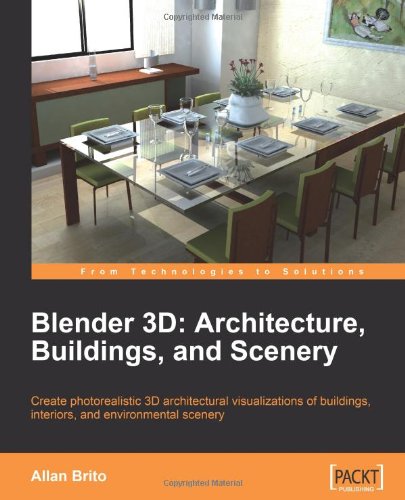
Blender 3D Architecture, Buildings, and Scenery: Create photorealistic 3D architectural visualizations of buildings, interiors, and environmental scenery
2008 · PDF