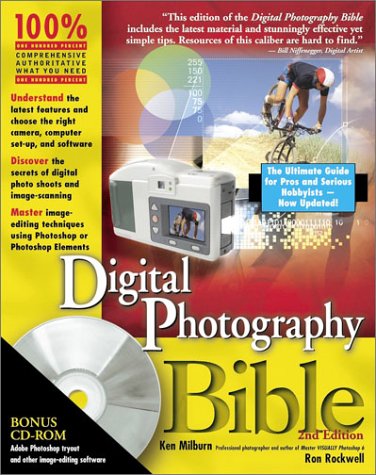
Digital Photography Bible
Book information
Description
Digital Photography Bible, 2nd Edition Front Matter Preface What's in This Book Part I: The Role of Digital Photography Part II: The Shoot and the Equipment Part III: Before You Edit an Image Part IV: Image-Editing Software Part V: The Versatility of Digital Photography Part VI: Producing the Best Output Part VII: Appendixes Color Insert Who This Book Is For How to Use This Book Conventions Used in This Book Make This a Better Book: Talk to the Author Acknowledgments Contents at a Glance Contents Part I: The Role of Digital Photography Chapter 1: Using Digital Versus Traditional Photography The Advantages of Digital Photography Fewer barriers to taking a photograph Instant gratification Instant delivery Facilitates using images on the Web No film to buy or waste No darkroom or chemicals needed Lower long-term costs Easy proofing and presentation of images Continually improving image quality Digital images can hold more information about the subject and technicalities of the photograph Digital copies are identical to the original A digital camera is the perfect artist's sketchbook Digital cameras have new and exciting capabilities The Advantages of Analog Photography Lower cost of high image quality Lower cost cameras More versatility Instant response (capture the moment) Accepted as traditional medium Easy and affordable to make archival prints Consumer confidence And the winner is . . . Hybrid Digital Photography Make use of equipment you already own Get the best of both worlds Use established technology with predictable results Get higher resolution for your buck Digitize existing images The Characteristics of Digital and Digitized Images Resolution Pixel depth Bitmaps Summary Chapter 2: Getting the Most from Your Digital Camera Maximizing Image Definition Image resolution Lens quality Image sensor size Image bit depth Image compression File formats (RAW or TIFF) Length of the exposure ISO adjustment Proper exposure Camera steadiness Image treatment Shutter lag Delay between shots Understanding Operating Modes Automatic mode Aperture priority and depth-of-field Shutter priority Full manual control White balance Programmable (or pre-programmed) settings Auto bracketing Best-Shot Selector Burst mode Time lapse mode Special panorama settings ISO rating Noise reduction, ISO settings, and long exposures Saturation controls Contrast control Utilizing Camera Features Overcoming parallax Choosing a sensor Ergonomics Digital Film Type Start-up time Battery type External flash connections Transferring Photos from Camera to Computer Devices for reading images Connections for transferring images Summary Chapter 3: Think Before You Shoot Exposing for Highlights Blooming White balance Long exposures The Rules of Good Lighting Use natural lighting whenever possible Use reflectors and fill flash in bright sun Use the shade or a cloudy day Keep the light off your lens Use hard light for drama Use soft light for most situations Use backlight to highlight the subject Use sunrise, sunset, and clouds Focusing Techniques Depth-of-field Autofocus Continuous autofocus Manual focus Capture or Eliminate Motion Freeze the subject and blur the background Use high shutter speed to freeze everything Use low shutter speed to blur everything The Rules of Good Composition These rules are made to be broken The two-thirds rule The shapes of a composition Framing the Subject Don't include anything unimportant Keep the background simple Use lighting contrasts to strengthen composition Leave space in front of motion Use perspective Account for shutter lag Summary Part II: The Shoot and the Equipment Chapter 4: On Location The Essential On-Location Equipment Portraits The subject's position and expression Lighting Keep the background plain Use makeup Keep shutter lag to a minimum Pay attention to the subjectÌs eyes A portrait photography checklist Candid Photography Be prepared to be mistreated Dress to blend Use a swiveling LCD Use short shutter lag Be ready A candid photography checklist Event photography Get a schedule Make a shot list Take an assistant Use two cameras Make arrangements to be in the front row Learn to use supplementary flash Take a preview screen An event photography checklist Sports and Action Use a zoom lens Freeze the action Pan with the subject Be where the action is Use burst mode whenever possible A sport and action photography checklist Travel Always have your camera(s) with you Have a way to download images from memory cards Take supplementary lenses and a backup camera Use guide books to plan your shoots in advance Get out early, stay up late, and rest at midday Take along a monopod A travel photography checklist Architecture and Urban Views Minimize parallax distortion Use a tripod Shoot panoramas and high-resolution, multi-shot images Shoot when the light is most dramatic Shoot multiple exposures for extended range Use light balancing filters when shooting indoors Balance window light with flash (or several slaves) An architecture photography checklist Nature Move around Shoot when the light is most dramatic Use a polarizing filter for dramatic skies Put some life into the picture Look for texture and color A nature photography checklist Macros Use supplementary lenses Keep the lighting flat Focus with precision at the center of interest Stop down for maximum depth-of-field A macro photography checklist Summary Chapter 5: In the Studio Studio Setup The workspace Batteries and AC power People conditioning Studio Lighting Lighting sources Lighting accessories Lighting setups Light meters Backgrounds Camera mounting Essential accessories Summary Chapter 6: Useful Photo Accessories Your Camera Bag Holding the Camera Steady Capture the image without touching the camera Tripods Other means of bracing yourself Accessories for panoramas and object movies Buying External Flash Units Event strobes Studio strobes Other strobe accessories The cost of strobes and their accessories Choosing Light Meters Built-in meters Ambient light meters Ambient/strobe meters Choosing Lens Accessories Adapter rings Filters Lens hoods Focal length and macro lens adapters Cap keepers Digital Film Card Readers Instant Upload Batteries Odds and Ends That Count Going the Extra Mile The nik Color Efex Pro! Workspace Getting a little wild in the Abstract Optional Products to Make Life Easier Gobo Rain Protection Quick Release Mounts Wacom tablet penPalette Summary Chapter 7: Outfitting Your Computer Operating System: Windows or Mac? Speed How fast is fast? How much and what kind of memory? How much and what type of disk storage space? Managing Your SystemÌs Memory Windows Macintosh RAM Disk storage Choosing a Display Card Setting Up Your Display Card Macintosh Windows Choosing Monitors Dual Monitor Capability Adjusting Your Monitor Hardware adjustments Making a monitor hood Calibrating Your System The test-chart method Calibrating your monitor Using a pressure-sensitive graphics tablet Choosing Output Devices PostScript interpreters Office printers Laser printers Inkjet printers Dye-sublimation printers Snapshot printers Photographic process printers Wax thermal printers Film recorders Set Up a Workflow Archive unaltered original Make exposure and color corrections Crop to maximum usable proportions Save to lossless file format that preserves layers Duplicate files that will be altered Summary Part III: Before You Edit an Image Chapter 8: Converting Analog to Digital Scanners and Scanner Software When and why to choose a flatbed scanner When and why to choose a film scanner Choosing and using the right film scanner Choosing and using drum scanners Scanner features and price Digital Ice Altamira Genuine Fractals Calibrating a Scanner Calibrating by estimating Precision calibration Paying Someone to Do Your Scanning Film processing labs Service bureaus Proper Preparations for Scanning Choosing the best film for scanning Keep it clean Turn it on and keep it warm Properly orient the original Calibrate and experiment Using the Scanner Software Properly Using a Scanner as a Camera Using a Camera as a Scanner Summary Chapter 9: Cataloging and Managing Images Painless Camera-to-Computer Transfer Serial connections USB connections FireWire connections Card readers: Pros and cons Digital storage devices Must-have software features Painless Computer-to-Computer Transfer Wired networks Wireless networks Removable media Using FTP, Web, and e-mail Cataloging Software on Parade iPhoto Jasc Media Center Plus Extensis Portfolio Cataloging with Photoshop Editing images with cataloging software Keeping Track of Photos in Windows XP Archiving for the Future CD versus DVD Organizing your archives Storing your archive discs Adding an Image as a Background Adding an image in Windows XP Adding an image in Mac OS X Summary Chapter 10: Choosing an Image- Editing Program Important Features Price Free software Automating command sequences Image-processing features Layer editing File and device support Photoshop plug-in compatibility Interface familiarity Painting and retouching Vector path drawing Image editing Special-effects processing Wacom tablet compatibility Prepress preparation Image compositing The Adobe Photoshop Dynasty Adobe Photoshop 7.0 Adobe Photoshop Elements 2.0 Power for Less JASC Paint Shop Pro 7 Corel PHOTO-PAINT 10 Corel Picture Publisher 10 Ulead PhotoImpact 7 Image Editing for Beginners and Special Effects Corel Picture Publisher Digital Camera Edition Microsoft Picture It! Ulead Photo Express ArcSoft PhotoImpression 4.0 MGI PhotoSuite 4 Summary Part IV: Image-Editing Software Chapter 11: Essential Image Editing Employing Quick Fixes Using Auto Contrast Using Auto Levels Correcting color Using Fill Flash An alternative to the Fill Flash command Correcting backlighting Converting to grayscale Converting to black and white Turning an Image into a Poster Creating Instant Effects Tweaking Image Characteristics Sizing, cropping, and rotating Resizing Using the Levels command Using the Variations option Adding a color tint Using the Burn tool Using the Screen mode Reducing noise Retouching Using the Clone tool Using the Healing brush Getting rid of dust and scratches Creating sepia tone and hand-colored photos Glamour techniques Making a Composite Image Controlling Image Sharpness Summary Chapter 12: Special Effects Solutions Extract and KnockOut Ultimatte KnockOut and the transition to Corel Complex extractions with Photoshop Liquify Photoshop Blend Modes Notable Effects with Plug-in Filters Image-correction filters Art effects filters Special effects filters Special Third-Party Filters Kai's Power Tools Andromeda Photographic filters Summary Chapter 13: Advanced Image Editing File Browser Tree View Thumbnail Preview Metadata Healing Brush Patch Tool Paint Tools Automatically Correct Color Customize Your Toolset Precise Distortions Turbulence Tool New Ways to Create Patterns Create Personal Workspaces Spell Checker Protect Your Images Picture Package Web Photo Gallery ImageReady Dithered Transparency Weighted Optimization Isolating Edits with Masks and Selections The Lasso tools The Pen tool Geometric Selection Tools Editing a Selection with Quick Mask Color Range Selections Fuzziness and multiple selections Selection versus Image Selection preview Using Channels to Blend Selections Staying on the Straight and Level An exercise using levels The Levels dialog box How much adjustment is enough? Where do you start? Curves Ahead! Knockouts Black-and-White Conversions Grayscale Lab mode and grayscale Lab mode and RGB Channel Mixer Lab mode Channel Operations Digital dirt Cleaning up edges A History Lesson The History Brush The Art History Brush Actions Creating an action Creating Droplets Summary Chapter 14: Photopainting What is Photopainting? Photographing with Photopainting in Mind Focus on the essentials Image quality and size Detail versus design Painting Skills Painting Software Natural media brushes Textures Natural media filters Pattern brushes Cloning Autocloning procreate Painter 7 Adobe Photoshop 7 Other applications of interest Post-printing Painting Techniques Summary Part V: The Versatility of Digital Photography Chapter 15: Prepping Images for the Web Optimizing an Image in Photoshop Elements Enhancing your Web Pages with Photographs Alternatives to Using Photographs Bitmaps Vector graphics Web graphics file formats Understanding Color Modes Rules Governing Web Graphics Rule #1: File size is everything Rule #2: The Web is a low-resolution medium Rule #3: The Web is color-sensitive Rule #4: Choose the right format for photographs Rule #5: Keep images reasonably sized Rule #6: Use images repeatedly Rule #7: DonÌt depend entirely on automated converters Rule #8: High bandwidth is no excuse for inefficiency Categorizing Web Graphics Text Illustrations Backgrounds Content dividers and picture frames QuickTime panoramas and other virtual experiences Making Web photo galleries Summary Chapter 16: Miscellaneous Digital Magic Batch Image Processing Drawing Programs Vector tracing Auto-tracing Enlarging Images Genuine Fractals 2.5 S-Spline 2.2 Controlling Grain and Noise with Grain Surgery Making Panoramas and Object Scenes Taking panorama photos Photoshop Elements ArcSoft Panorama Maker Roxio Photovista Virtual Tour Stitching a High-Resolution Matrix 3-D Programs Special-Purpose 3-D Programs Canoma Poser 5 Bryce 4 Making Photo Mosaics Making Small Movies Capturing Stills from Video Stereoscopic Images Infrared Photography Summary Part VI: Producing the Best Output Chapter 17: Choosing and Using a Desktop Printer What Type of Printer is Right for You? Inkjet printers Dye-sublimation printers Color laser printers Printing Photographs with a Multifunction Printer Choosing the Right Ink and Paper Plain bond Semi-gloss and high-gloss photo paper Fine-art paper Exotic papers All inks are not created equal Installing Your Printer Unpacking your printer – the right way Adding a parallel port printer under Windows XP Adding a USB printer under Windows XP and Mac OS X Improving Printer Performance Enabling print spooling in Windows XP Defragmenting your hard drive The importance of system RAM Adding standalone printing hardware Tips for Inkjet Printing Avoid refilling cartridges Check your paper feed often Load multiple sheets of the same type of media Specify the paper type Proper Printer Care and Feeding Checking cartridges Tackling dust inside Cleaning and calibrating ink cartridges Using a laser cleaning sheet Summary Chapter 18: Making and Using Device Profiles for Predictable Output Color Management The monitor The scanner The printer The solution: Device profiles Introduction to Color Management Systems What comprises CMS? Rendering intents Monitor Calibration and Profile Creation Calibrating by eye Electronic sensor calibration Scanner Calibration and Profile Creation Printer Calibration and Profile Creation Printing with Color Management in Photoshop Optimizing images for printing Sharpening an image Going beyond "good enough" Optimizing file size with Genuine Fractals Summary Chapter 19: Specialty Output Options Choosing, Using, and Hiring a Large- format Printer Creating Output for Exhibition Understanding the Print Process Laser printer mechanics LED color printer mechanics Inkjet color printer mechanics Large-Format Laser Printers Xerox Xerox DocuColor 2006 printer/copier Xerox Phaser 7700 color printer Xerox Phaser 2135 color printer Inkjet and Dye-Sublimation Printers Epson Roland Iris Hewlett-Packard Canon S9000 Photo Printer Digital Continuous Tone Printers LightJet Durst Chromira Printing without a Computer Self-contained inkjet and dye-sublimation snapshot printers Printing via the Internet Summary Part VII: Appendixes Appendix A: Performing Equivalent Tasks with Various Image Editors Appendix B: What's on the CD- ROM? System Requirements Using the CD with Windows Using the CD with the Mac OS What's on the CD Author-created materials Applications eBook version of Digital Photography Bible, 2nd Edition Troubleshooting Wiley Publishing, Inc. End-User License Agreement Bonus Chapter 1: Information on the Web Books Amazon.com Barnes & Noble Digital Camera Depot Megabyte Books PhotoSecrets The DesignersÌ Bookshelf Short Courses Publishing Education Digital Studio FunPhoto.com Graphic Intelligence Agency, Inc. Jasc Software Kodak Digital Learning Center New York Institute of Photography Oklahoma School of Photography Olympus Digital Photoschool Photographic Society of America Electronic Imaging Division Photoshop for Photographers Short Courses Publishing TutorialFind World Wide Learn Company Exhibitions, Shows, and Contests Bradley University Annual Digital Photography Exhibition Consumer Electronics Show Macworld Expo Seybold Seminars Galleries and Photo Sharing A Different View Photography and Collage Black and White Digital Photos by Richard Saylor Carol Beckham Û Digital Photographer Club Photo, Inc. Computer Creative Network Û Freeimages.com Danny Steyn Û Photographer Davro Digital Imaging Digital Photographs by Steve Foote Eugenio Eoller Û Photographer Francine Chism Schwieder Û Digital Photographer IDIG Internet Digital Imaging Group Kleptography PhotoServe Û Visual Database Robert Taylor Û Digital Photographer Tam’s Digital Imaging Û Digital Photographer The Digital Arts Group ZoneZero Reference All Digital Camera Beyond Red Charles Daney’s Photographic Pages Charles Poynton CNET Networks, Inc. CoCam Digital Camera Buyers Guide Digital Camera Info Digital Camera Resources Digital Camera Reviews WEB INFO Digital Photography NOW Digital Photography Reference Digital Photography Reference Links Digital Photography Review Digital Vision Network DigitalZA Digital Imaging DPÒFWIW Emtech.net EPI Û Electronic Photo Imaging Extreme Tech FAQS.org FLAAR Network Focus on Photography FRCN Digital Imaging Hewlett-Packard Home and Office Site Imaging Resource Center Infrared Digital Photography page Marscuba.com Nerd World Û Digital Photography section Panoguide.com PC Û Photo Review Photo.net PIE-Photo Electronic Imaging PhotoLinks PhotoPoint Corp. Poynter.org Profotos.com robgalbraith.com The Darkroom The Digital Artist The Digital Camera Guide sRGB Top Digital Camera Reviews Wetpixel Organizations Photographic Society of America Electronic Imaging Division Photo Marketing Association International Professional Photographers of America, Inc. Publications Amherst Media, Inc. Digital Output Digital Sauces digitalphotography.com eDIGITALPHOTO.com ePHOTOzine Megapixel PCPhoto Magazine Photo Imaging Entrepreneur Popular Photography Shutterbug Magazine Services ACTion Imaging Solutions Cone Editions Press Digimarc Digital Pond EZ Prints Frame, Inc. Harvest Productions Imagers Digital Production Center Nash Editions Ofoto PhotoTrust Skylark Imaging Worldwide Direct-Digital Imaging Specialist Zing Network, Inc. Bonus Chapter 2: Hardware and Software Resources General Accessories AC Adorama B&H Photo Beseler Photo Bogen Photo Corp. Casio, Inc. Colex Imaging, Inc. Daylab-Pfaff Products d-store Ferrania USA, Inc. Filmguard Corporation Gadgeteer.com Gagne, Inc. Gamla Enterprises Gammacolor Image Technologies GEPE, Inc. Global Imaging, Inc. Gretag Imaging Holding GTI Graphic Technology, Inc. Hewlett-Packard, Inc. Hoodman Kaidan, Inc. LaCie, Inc. Logistic Locations Mitsubishi Digital Electronics America, Inc. Mitsubishi Electric & Electronics USA, Inc. Photosolve Silicon Film Technologies, Inc. Sima Products Corporation SterlingTEK The Denny Manufacturing Company, Inc. Optical Accessories Hoya Corporation Kenko-Tokina Company Sigma Corporation The Tiffen Company, LLC THK Photo Products, Inc. Vivitar Lighting Accessories AlienBees, Inc. Britek LumiQuest Photoflex, Inc. STO-FEN Wein Products Ink and Paper Epson America, Inc. Gatorform Inkjetmall.com, Ltd. Legion Paper PICTORICO Power Sources Eveready Battery Co, Energizer Division Maha Energy Sunn Battery Company (Powertron Batteries) Digital Camera Manufacturers Agfa Canon USA, Inc. Casio, Inc. Eastman Kodak Company Epson America, Inc. Fuji Film Konica Kyocera Corp., Yashica Division Largan Lmini Mamiya America Corporation Minolta Corporation Nikon Corporation Olympus Optical Co., Ltd. Panasonic Pentax Corporation Sanyo USA Sea & Sea Underwater Photography USA Sony Electronics, Inc. Vivitar Computers Apple Computer, Inc. Conexant Corporation Digital Now, Inc. Handspring, Inc. Hewlett-Packard, Inc. Intergraph Zoran Corporation Digital Backs Better Light, Inc. MegaVision, Inc. Phase One US, Inc. Storage and Memory Systems Addonics Technologies Antec APS Tech CompactFlash Association Delkin Devices, Inc. Imation Enterprises Corp. Kingston Technology Company Lexar Media, Inc. Maxtor Corporation Microtech International, Inc. Minds@Work, LLC PhotoTrust SCM Microsystems, Inc. Display MON Mitsubishi Electronics Presentation Products NEC Computers, Inc. NEC-Mitsubishi Electronics Display of America, Inc. Printers Akica Phototech Digital Pulse, Inc. Durst Dice America Epson America, Inc. Epson Professional Graphics Division Hewlett-Packard, Inc. Jackson Digital Imaging Corporation Scitex Seiko Instruments USA, Inc. Scanners Aztek, Inc. Heidelberg Microtek USA ZBE Incorporated General Retail Outlets Abe's of Maine Adorama Best Stop Digital Calumet Digital Solutions Camera World of Oregon Ckcpower.com Darkroom Digital Camera Depot Digital Etc. Filmart Focus Camera Gross-Medick-Barrows (G-M-B) Norman Camera and Video shopnow.com Steve’s Digicam Z Reiss & Associates, Inc. Software Adobe Systems, Inc. Altamira Group Arcsoft, Inc. Aztek, Inc. Corel Corporation Deneba Software Font Shop Graphx, Inc. Informal Software Internet Pictures Corporation IXLA USA, Inc. Lemke Software Mediafour Productions MGI Software Microsoft Corporation PanaVue Right Hemisphere SeeAllAround.com Ulead Software Vivid Details VR Toolbox Copyright Title Page Dedication Contents Chapter 1: ‘I’m thinking’ – Oh, but are you? Chapter 2: Renegade perception Chapter 3: The Pushbacker sting Chapter 4: ‘Covid’: The calculated catastrophe Chapter 5: There is no ‘virus’ Chapter 6: Sequence of deceit Chapter 7: War on your mind Chapter 8: ‘Reframing’ insanity Chapter 9: We must have it? So what is it? Chapter 10: Human 2.0 Chapter 11: Who controls the Cult? Chapter 12: Escaping Wetiko Postscript Appendix: Cowan-Kaufman-Morell Statement on Virus Isolation Bibliography Index
Similar books

digital photography bible
2022 · PDF
Digital photography bible
2002 · PDF

Digital Photography Bible (with CD-ROM)
2000 · DJVU

Flash Site Workshop
2001 · PDF

Digital Photography: 99 Easy Tips To Make You Look Like A Pro!
2002 · PDF

Taking and Sharing Digital Photographs (Cliffs Notes)
2000 · PDF

Digital Photography Expert Techniques
2006 · PDF
Digital Photography Bible (with CD-ROM)
2000 · DJVU