PowerPoint 2016
Book information
Description
Bookboon, 2016. — 225 p. — ISBN: 978-87-403-1203-4First things first: Starting PowerPoint, Windows 10, What is PowerPoint 2016, The PowerPoint 2016 Screen, The Ribbon, The Quick Access Toolbar, Adding icons to the Quick Access Toolbar, Add icons from the Drop-down Menu, Add icons from More Commands, Customising the ribbon, Using the Alt Key, Different views of a presentationCreate a presentation: Creating blank presentations, Creating presentations using a template, Searching for a template, Importing Word document outlines into presentationsCreate a blank presentation from scratch: Adding slides, Change the layout of a slide, Adding text, Adding a table, Adding a chart, Add SmartArt, Adding pictures, Adding online pictures, Add videoFormat a presentation using slide masters: What are masters?View the Slide MasterThemes: What is a theme, Layouts, Applying a Slide Master, Making changes to the Slide Master, Adding new layouts, Rename the layout, Modifying existing layouts, Adding/removing background images, Controlling slide numbers, Inserting headers and footersModify design themes: Modify theme elementsBackground styles, Customize presentation options and views: Changing page setup options, Changing to view in color/grayscaleNavigating using presentation views: In Normal View, Modifying presentation propertiesConfigure presentations to print or save: Print slides, Print handouts, Printing presentations in grayscale, Create handouts in Microsoft Word, Packaging presentations for CD, Maintaining backward compatibilityConfigure and present slideshows: Slide show presentation options, Setting up the slide show, Present online, Rehearsing timing, Record slide show, Configuring slideshow resolution, Using presenter view, Navigating within slideshows, Annotating slideshows, Creating custom slideshowsWorking with slides: Duplicating existing slides, Hiding slides, Deleting slides, Modifying Slide Backgrounds, Applying styles to slidesInsert and format shapes: Inserting shapes, Resizing shapes, Applying borders to shapes, Modifying shape backgrounds, Creating custom shapes, Applying pre set styles to shapes, Aligning and ordering shapes, Order shapes, Align shapes, Use smart guidesOrder and group slides: Inserting section headersInsert and format text: Changing text to WordArt, Creating multiple columns in a single shape, Inserting hyperlinks, Applying formatting and styles to text, Creating bulleted and numbered ListsInsert and format tables: Insert a table from a placeholder, Adding columns and rows in a table, Applying quick styles to a table, Formatting a Table, Insert an Excel SpreadsheetInsert and format charts: Inserting charts, Modifying chart type, Adding legends to charts, Importing a chart from ExcelInsert and format SmartArt: Insert SmartArt, Adding shapes to SmartArt, Changing color of SmartArt, Moving text within SmartArt shapes, Reversing direction, Converting lists to SmartArtInsert and format images:Insert pictures from a file on your computer, Resizing images, Cropping images, Applying effects, Applying picture styles, Adding online pictures, Insert an Online PictureReuse Slides: Insert slides from a SharePoint library, Reuse slides from another presentation, Insert and format media: Insert video from a file on your computer, Adjusting media window size, Trimming timing on media clips, Setting media options, Add online video, Add a Screen Recording to your presentation, Add audio to the presentationApply transitions between slides: Inserting transitions between slidesAnimate slide content: Applying animations to shapesApplying animations to text, Adding paths to animations, Modifying animation options, Reordering animations, Using the Animation PaneMerge content from multiple presentations and track changes:Save a copy of the presentation to a shared location such as a SharePoint site, Comparing multiple presentationsProtect and share presentations: Encrypting presentations with a password, Proofing presentations, Inking, Marking as finalPreparing to finalise the presentation: Compressing and Optimising media, Embedding fonts, Inspecting your presentation and removing metadata
Similar books
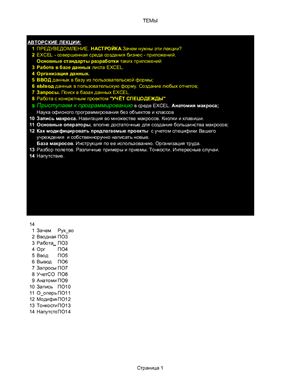
Авторские лекции (краткий курс по созданию бизнес-приложений в среде MS Excel 97 и 2000)
RAR

Самоучитель Microsoft Access 2013

Lean Excel: Top Functions (примеры к книге)
ZIP

Word 2013

Ctrl+Shift+Enter: Mastering Excel Array Formula

Ctrl+Shift+Enter: Mastering Excel Array Formula (файлы к книге)
ZIP

Ctrl+Shift+Enter: Mastering Excel Array Formula
MOBI
Microsoft Outlook Programming: Jumpstart for Administrators, Developers, and Power Users (только дополнительные материалы)
ZIP